MCP server
Make films from your AI agent.
Connect ChatGPT, Claude, Cursor or any MCP client to Scenetik. Ask for a shot, a still, a VFX or an AI influencer in plain words; your agent picks the camera move, renders on open weights and hands back the video.
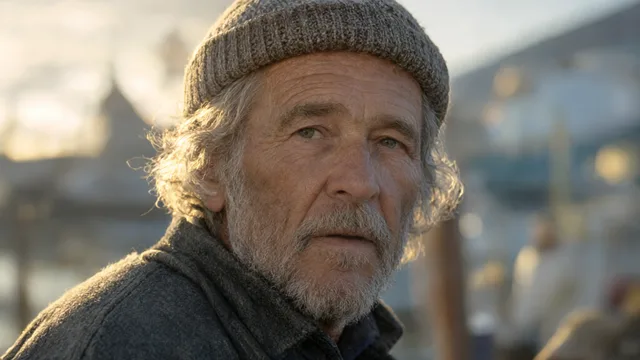
Make a 5-second push-in on an old fisherman at the harbour, golden hour, with sound.
sparkscene · generate_video
sparkscene · get_jobdone · 100%
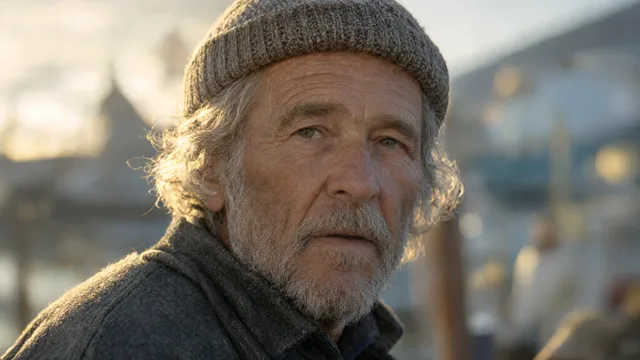
Here is your shot, with picture and sound from LTX-2.5. Open the job page to download it.
Step 1
Your access
Whoever connects renders as themselves: the same credit and queue as the studio.
Step 2
Add Scenetik to your client
Pick your app. Every snippet already holds this server’s URL.
ChatGPT
Add Scenetik as a custom MCP server in ChatGPT on the web. ChatGPT signs in with OAuth, so you never paste a token.
- 1On chatgpt.com, open Plugins, choose +, then Add custom MCP server. (Workspaces on the older menu: Settings → Apps & Connectors → Advanced settings → Developer mode, then Create.)
- 2Name it
Scenetikand paste the server URL. Set Authentication toOAuth. - 3Accept the custom-server notice and create it, then connect. Scenetik opens in your browser: sign in and choose Allow.
- 4In a chat, pick Scenetik from the + menu and ask for a shot, a still or an effect.
Custom MCP servers are a ChatGPT web feature for Business, Enterprise and Edu workspaces (on Business, admins and owners add them). Plans limited to read-only tools can list models and check jobs but not start renders.
https://scenetik.com/api/mcpTry it
Quick actions and example prompts
Paste one into your agent after connecting. Naming the tool helps the agent pick Scenetik.
Use Scenetik to make a 5-second 16:9 video: a tuk-tuk races through a rainy, neon-lit Bangkok soi at night, reflections on the wet road. Use the Low Tracking camera move, Neon Noir lighting and LTX-2.5 with sound. Keep checking until it is done, then give me the link.
With Scenetik generate_image, make 4 cinematic stills of a Thai iced tea on a marble cafe table in soft morning window light, 4:5 for Instagram, with the Kodak Portra grade.
Take this photo <image URL> and use Scenetik apply_effect to turn the man in the red jacket to gold, with sound. Send me the video when get_job says it is done.
Create an AI influencer with Scenetik named Mali: a Thai woman in her 20s with K-beauty makeup and Bangkok street style. When she is ready, use influencer_video to make her do a wai greeting.
Reference
Tools your agent gets
Renders return a job id at once; the agent polls get_job and shares the video and the job page.
generate_video
Generate video
A shot with picture and sound from a prompt, a camera move and optional start/end frames.
generate_image
Generate image
Cinematic stills (1–4) from a prompt, with up to 3 reference photos to keep faces or products.
apply_effect
Apply VFX
One-click VFX on a photo: disintegrate, explode, set ablaze, turn to gold, portal, bullet time …
create_influencer
Create AI influencer
An adult AI character: portrait, full body and lifestyle shots with one consistent face.
influencer_video
Influencer video
Make a finished influencer perform: a wai, a TikTok dance, a catwalk, a product review …
get_job
Get job
Status, current step, progress and the media URLs of a render.
list_models
List models
Video and image models you can pick, open weights first, with lengths and resolutions.
list_camera_moves
List camera moves
30 camera moves (push-in, orbit, drone, crash zoom, bullet time …) for generate_video.
list_effects
List effects
The one-click VFX ids for apply_effect.
list_influencer_options
List influencer options
Trait groups for create_influencer and motion presets for influencer_video.
Models
What it renders with
Open weights first. list_models tells your agent which ones your account can use.
Open weights